
From 64 × 64 pixels to ten million blocks: how genMC came about
genMC began as an experiment with a single Minecraft skin. Six weeks later it is a studio where you and your AI agent build whole mountains together. Here is how it got there, and what we learned along the way.
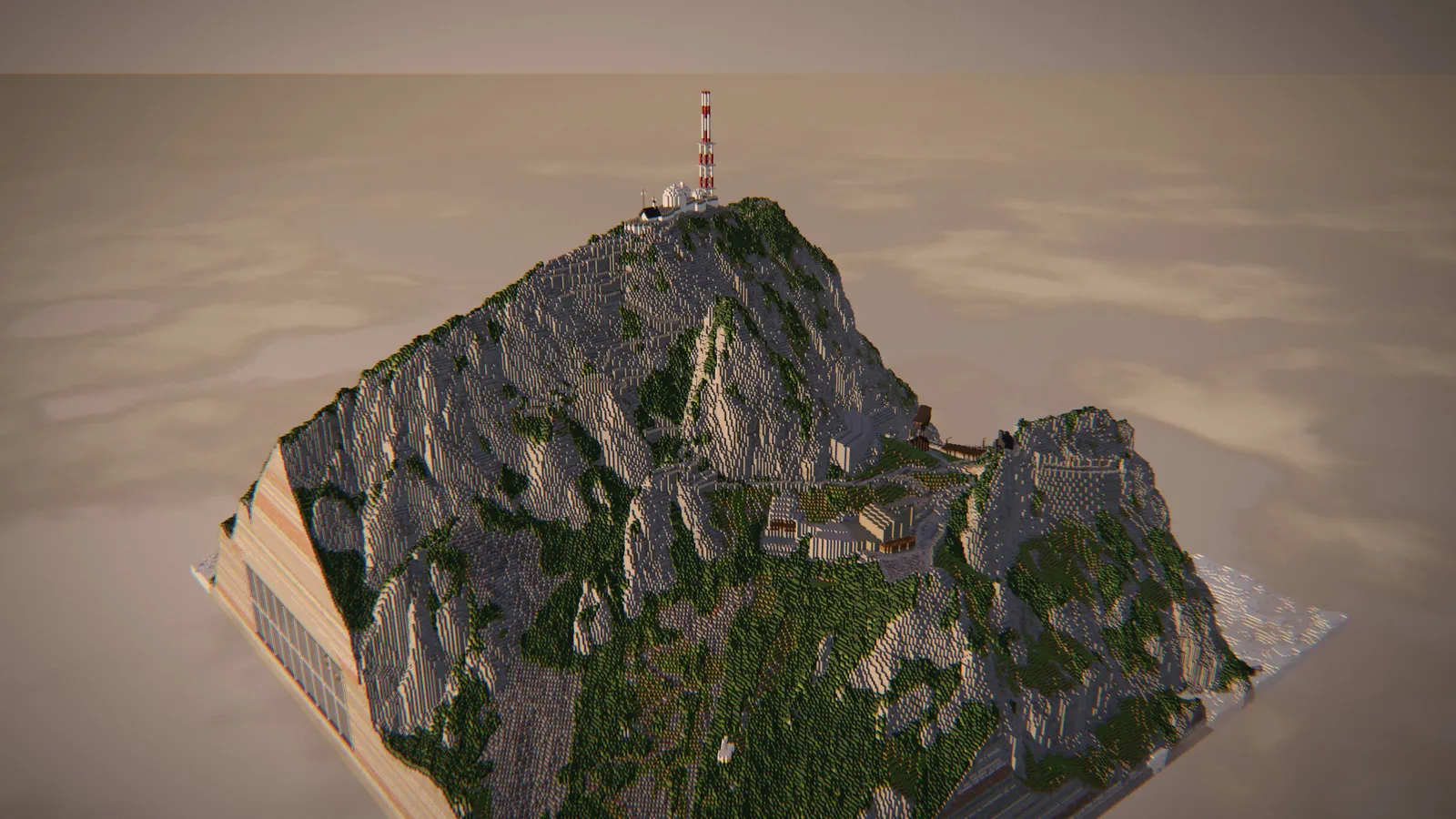
genMC started on 4 September 2026 with a simple question: what if a person and an AI agent could work on the same Minecraft skin at the same time, each seeing what the other does?
Six weeks later, genMC is a studio in the browser for builds and skins. Your agent writes construction programs, you mark blocks and say what should change, and together you end up with things like the Wendelstein above: a real Bavarian mountain with its cog railway, the summit station and a secret research base inside the rock. You can walk through it, flip the levers and take it into Minecraft as a schematic.
This post is the story of how we got from one to the other.
It started with a skin
A Minecraft skin is a tiny image: 64 × 64 pixels. But it is wrapped around a body with six parts, each with six faces and two layers – a base and an outer layer for jackets, hats and sleeves. That makes 72 faces on one small sheet.
For a person with a 3D preview, it is obvious which pixels belong to the back of the left sleeve. For a language model looking at a flat PNG, it is a puzzle. So the very first thing genMC gave agents was a map: every face has a name, like head.base.front or left_arm.overlay.back, with coordinates local to that face. Instead of guessing, the agent can say exactly where it paints.
Two decisions from that first week are still at the heart of genMC:
- People and agents use the same editing engine. An agent's change is a normal step on the timeline, with an author and a label, and it can be undone like any of yours.
- genMC has no AI of its own. The studio offers tools; the intelligence comes from the agent you already use. That first version registered its tools directly in the web page (WebMCP), so an agent in a browser with site tools could use them with no server and no API key.
Then came blocks
Skins are small. Builds are not. Within a few days of the first skin edit, the build studio existed: a plot, a block palette and tools for the agent to place blocks, fill boxes and build hollow shells.
It worked, and the results looked like it: boxes with windows. An agent placing blocks through lists of coordinates spends most of its effort on bookkeeping, and every list has to fit into its context.
So we looked at how the most impressive AI-made voxel builds were produced. Creative benchmarks such as MineBench let models write programs that generate the blocks, and good builds follow a discipline: silhouette first, then the main masses, then architecture, and detail last.
That changed genMC's design:
- Agents write construction programs in JavaScript with a small voxel toolkit –
box,line,ellipsoid,noise, stairs, roofs, doors, colour gradients. - Programs run in an isolated sandbox with a time limit and no network access, and every result is checked before it touches your build.
- The agent looks at its own work: it renders the scene from any angle, cuts through it, and refines it with the next program.
- Every placed block belongs to a named part – each building, roof, tree and rock – so the build has a structure that you can browse, hide and select.
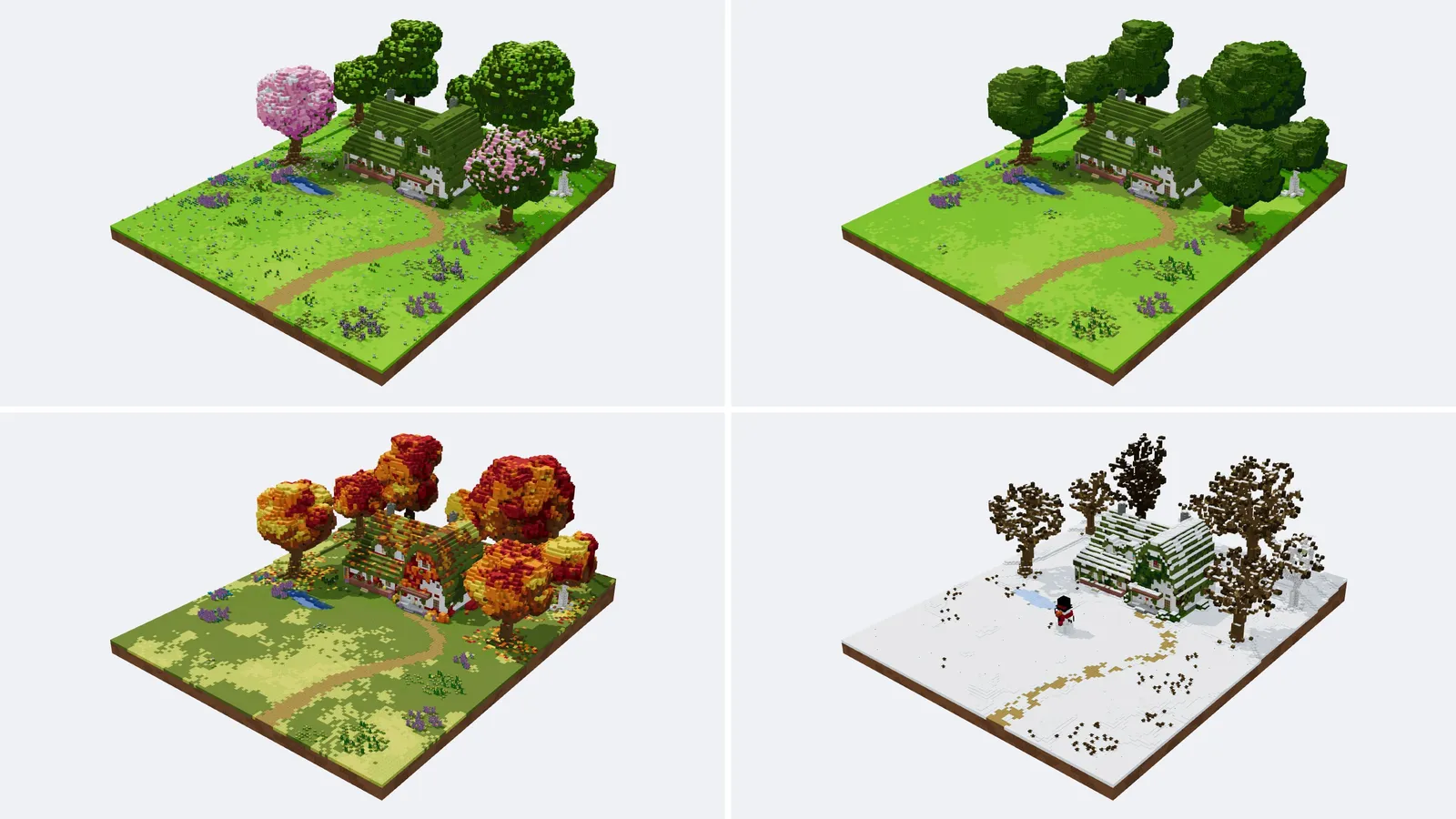
Making it big
Larger builds broke everything in turn: the 3D view, saving, undo. Each fix pushed the limit further.
- A mesher in Rust. The 3D view now turns blocks into geometry in WebAssembly, merging flat faces and shading corners. In one test with 793,752 blocks it took about 0.8 seconds instead of 4.3 and produced 33 MB of geometry instead of 416 MB.
- Compact saving. Builds are stored as binary snapshots instead of large JSON documents, which keeps saving and undo fast for millions of blocks.
- The whole block catalogue. genMC knows all 1,286 block IDs of Minecraft Java 26.3 with their states – stairs that turn corners, doors with two halves, beds, walls and panes that connect.
Today one build can hold up to 10,000,000 blocks, and the plot grows up to 768 blocks per axis. The Wendelstein was shaped from open elevation data and still has room to spare.
Opening the door to every agent
Tools inside a web page only reach agents that live in a browser. Most people use Claude, ChatGPT, Codex, Claude Code or Cursor – apps that connect to tools through the Model Context Protocol (MCP).
So genMC got a relay. You add https://genmc.app/api/mcp to your agent once. When you want to build, you open the studio, copy the short pairing code and paste it into the chat. From then on, every call your agent makes runs in exactly that browser tab, and you watch it happen. The guide to connecting an agent walks through it.
In October genMC moved to its own home at genmc.app, with a public gallery, optional accounts and a knowledge base that explains every function – to people on the web, and to agents through the genmc_docs tool.
Making it feel like Minecraft
A build is only finished when you can stand in it. So genMC grew the parts of Minecraft that make a build come alive:
- Walk mode with Minecraft's own player size, eye height and walking speed. You climb stairs, open doors and fly with a double tap.
- Redstone runs in every build at 20 game ticks per second: levers, pistons, lamps, observers, even TNT.
- Note blocks play and tune like in the game, with the instrument chosen by the block underneath.
- Real exports: schematics for every Java version from 1.13 to 26.3, Litematica files,
.mcfunction, images and tour videos – and imports of existing schematics, so you can bring your own builds in.
Built with agents, too
genMC is itself largely written together with coding agents. That turned out to be useful: when a tool description is unclear, the agent building genMC trips over it in the same way as an agent using genMC.
Many of genMC's rules come from watching agents fail. Agents must name the revision they read before they change anything, so they can never overwrite a change you just made. They post a short plan when they take on a request. They render their work before they call it done. None of these rules were in the first design; each one fixed a real moment where an agent and a person talked past each other.
What we learned
- Agents need exact maps, not screenshots. Named faces, named parts, spelled-out coordinates and exact marks do more for quality than any prompt.
- Programs beat coordinates. A few hundred lines of code can describe a mountain. A list of coordinates for the same mountain would never fit into a context window.
- Trust comes from control. A visible timeline, undo, and the guarantee that your own edits come first make it comfortable to let an agent work in your build.
- Structure is for people as much as for agents. When both of you can say "the east tower" and mean the same blocks, working together gets easy.
genMC is free and needs no account. Open the studio, connect your agent and see what the two of you make. If you are curious how genMC compares to other AI tools for Minecraft, read what genMC does differently, and for a look at what goes on inside the agent, read how language models build worlds.
Try it with your own agent.
genMC is free and needs no account. Open the studio, connect the agent you already use and build together.