
What genMC does differently
Prompt-to-schematic generators, bots in the game, video world models – there are many ways to bring AI into Minecraft. Here is where genMC fits in, what it does differently, and where other approaches are ahead.
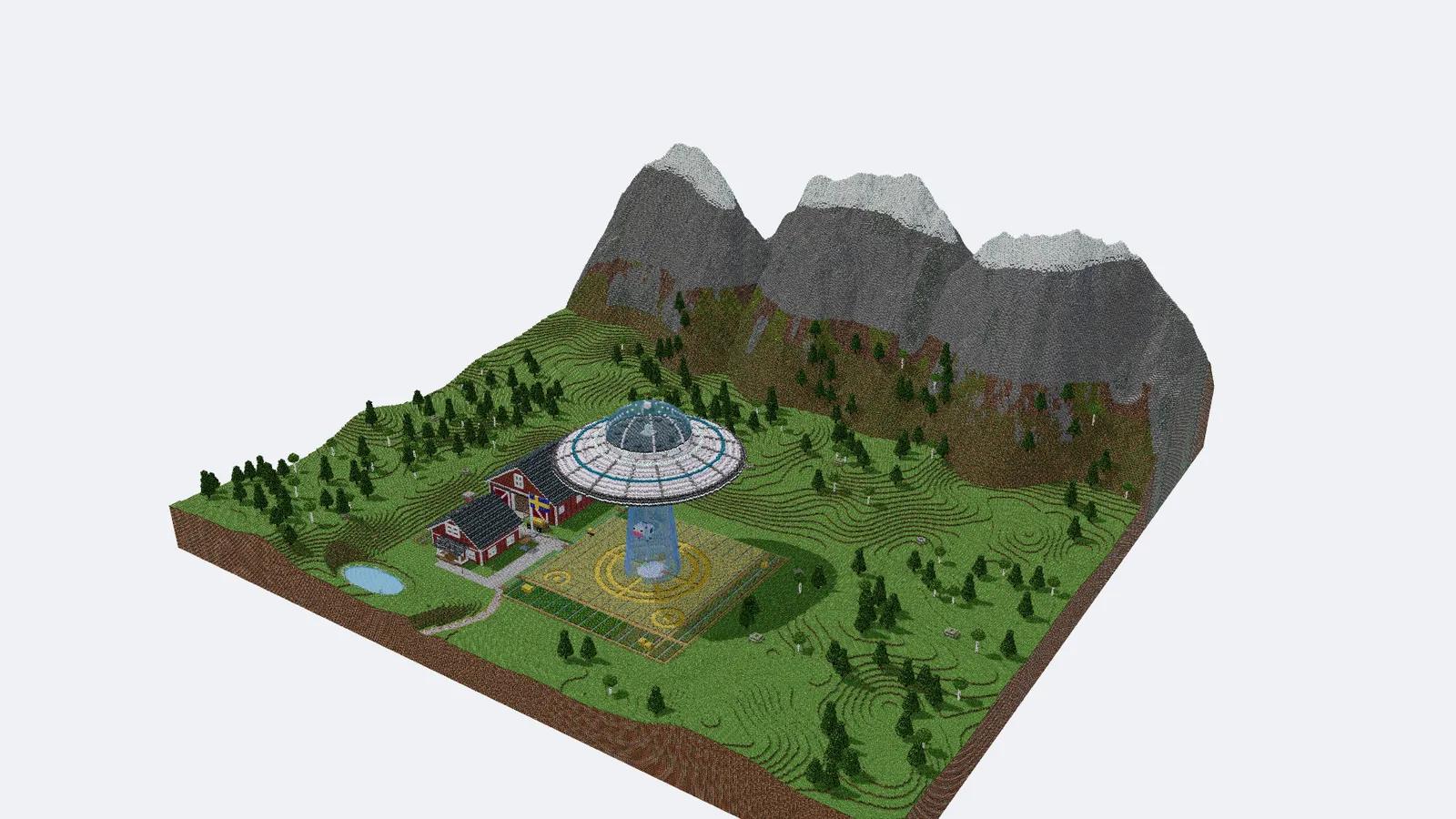
There are more ways than ever to get an AI to build in Minecraft. They are good at different things, and it helps to know which one you are looking at. Here is a short map of the field, where genMC sits on it, and – just as important – where it does not.
Four kinds of AI tools for Minecraft
Prompt-to-schematic generators. You type a sentence or upload a picture, wait a little, and download a schematic. That is fast and needs no setup. The process in between is usually closed: one shot, one result, paid with credits. If the roof is wrong, you write a new prompt and start over.
Bots in the game. Here an AI controls a player character (for example through Mineflayer) or sends commands to a server. It feels alive, because things happen in your real world. But it needs a running game or server, it places blocks one command at a time, and the AI barely sees what it builds: it learns about the world through text queries, not through pictures.
Video world models. Research models such as DeepMind's Genie 3 or Decart's Oasis generate a playable world frame by frame. You can walk around in something that looks like a game. But there are no blocks underneath – nothing to edit, nothing to export – and the world only stays consistent for a limited time before details drift.
Classic editors. WorldEdit, structure blocks, Blockbench and skin editors give you full control. They are the tools of serious builders. They just do not come with a partner who can build alongside you.
genMC is a fifth thing: a studio that you and your own agent share.
Your agent, not ours
genMC runs no AI of its own. It does not need your API key, and there are no credits. The agent you already use – Claude, ChatGPT, Codex, Claude Code, Cursor or another MCP client – connects to the studio and builds in your browser tab.
That has two consequences we like. genMC is free, because we do not pay for model time. And genMC gets better whenever your agent does: when a new model arrives that reasons better about space, your builds improve without anything changing on our side.
Building together, at the same time
In most AI tools you hand over a prompt and wait. In genMC you stay in the build while the agent works:
- You mark blocks in the 3D view and say what should change: "make this tower taller", "the path should go round the pond". The agent receives your marks as exact coordinates.
- Requests you send while it works reach the agent with its next tool call, so it can change course without starting over.
- Your own edits come first. Every change the agent makes names the revision it read. If you changed something in the meantime, its change is rejected and it has to look again. It can never silently overwrite your work.
- Every step lands on a timeline with its author. You can go back to any point, and undo is always one click away.
Programs instead of block lists
A castle with fifty thousand blocks is fifty thousand coordinates – far too much to type out, and far too much for an agent to keep track of. In genMC the agent writes a short construction program instead: loops for walls, ellipsoids for tree crowns, noise for terrain, helpers for stairs, roofs, doors and colour gradients made from real blocks.
Programs run in an isolated sandbox and are reproducible: the same program with the same seed gives the same build. That is how a single build can reach ten million blocks while the agent still understands what it made.
The agent checks its own work
A one-shot generator never sees its result. A genMC agent does:
- It renders the build or a preview from any camera, as a picture it can look at.
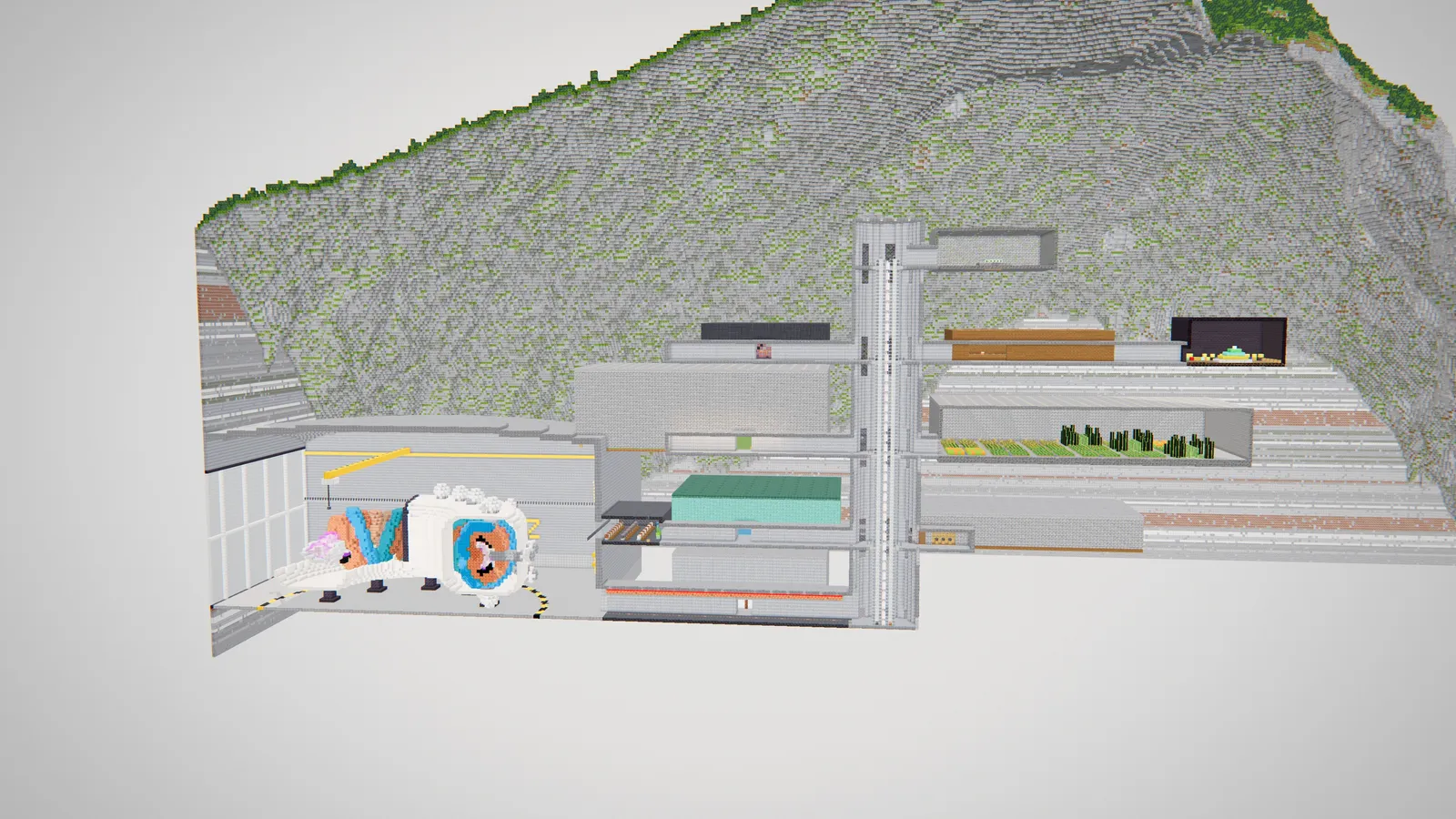
- It cuts through walls and floors to see inside.
- It runs checks that are cheap and exact: which parts hang over a cliff edge, where a tour camera would clip through a wall, whether a player can actually walk between the rooms.
Then it fixes what it found and looks again. That loop – look, fix, look again – is the biggest single reason builds in genMC get better than the first draft.
Builds with structure
Every block an agent places belongs to a named part: each building with its wings and roofs, each tree, rock and bridge. You see these parts in the Structure panel, can hide them, and select a whole part with one click.
This sounds like housekeeping. It is what makes conversation possible: when you say "the east tower" and the agent sees a part called Castle/East tower, you both mean the same blocks.
It behaves like Minecraft
genMC knows every block of Minecraft Java 26.3 – 1,286 block IDs – with their states, so stairs turn corners and doors have two halves. You can walk through your build with Minecraft's player size and speed, flip levers and watch the redstone run, play note blocks, and take a guided tour.
When you are done, you export a schematic for your Minecraft version (Java 1.13 to 26.3), a Litematica file, an .mcfunction, images or a tour video. You can also import schematics you already have and keep building on them with your agent. And the skin studio does the same for skins: 64 × 64, Classic and Slim, with every face named so your agent can paint precisely.
Private by default
You do not need an account to build, save or export: builds are saved privately in your browser. An account is optional and only needed to publish to the gallery or to sync between devices. Our statistics use no cookies and store no IP addresses.
Where others are ahead
genMC is not the right tool for everything, and we would rather say so:
- No agent, one quick file? A prompt-to-schematic generator is faster if you just want a single result and do not use an AI agent yet.
- Your live survival world. In-game bots work right where you play. genMC builds on its own plot; you bring the result into your world as a schematic.
- An agent that can use tools. genMC needs an agent app that supports MCP connectors or site tools. Most do now, but not every free chat plan.
- Free-roaming generated worlds. If you want to wander through endless, photorealistic worlds that do not exist, video world models are the exciting frontier. genMC builds things that exist: blocks you own.
At a glance
| genMC | Prompt generators | Bots in the game | Video world models | |
|---|---|---|---|---|
| Whose AI | Your own agent | The service's model | Varies | The lab's model |
| Steer while it works | Marks, requests, undo | Rarely | Partly | Through movement |
| What you get | An editable build plus exports | A file | Blocks in your world | Generated frames |
| Checks its own work | Renders and geometry checks | Rarely | Rarely | – |
| Price | Free | Usually credits | Varies | Limited research access |
These are typical traits of each kind, not a verdict on any single product – tools in every column keep improving.
Want to see it for yourself? Open the studio and connect your agent. The story of how genMC got here is in how genMC came about, and what happens inside the agent while it builds is in how language models build worlds.
Try it with your own agent.
genMC is free and needs no account. Open the studio, connect the agent you already use and build together.