
genMC, a Minecraft MCP server for builds and skins
One server URL gives Claude, ChatGPT, Claude Code, Cursor, Gemini CLI and other MCP clients a Minecraft studio to build and paint in – no game, no API key, free. What it offers and how to add it to each agent.
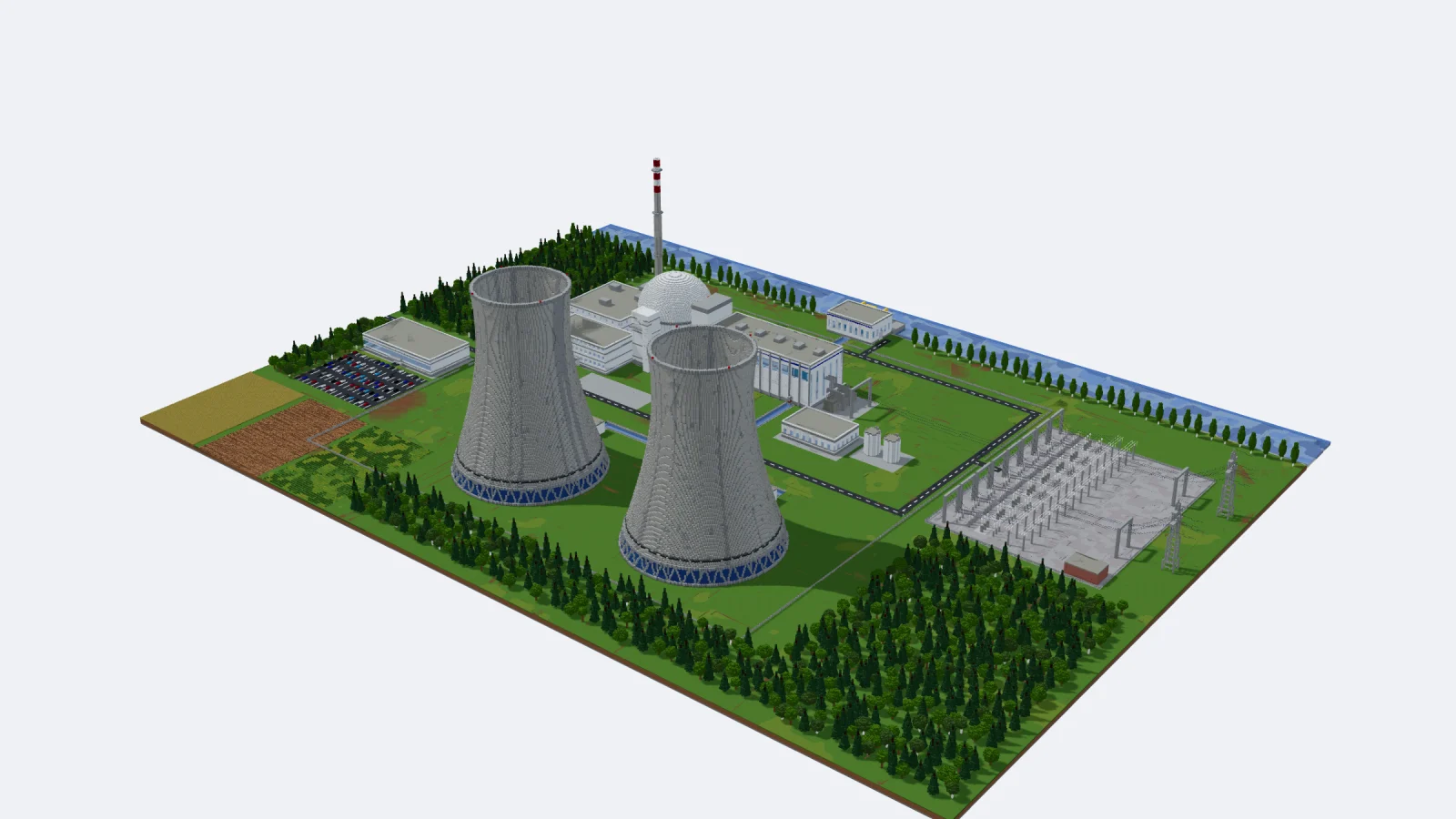
Most Minecraft MCP servers connect an AI to a running game: a bot walks around and places blocks one command at a time. genMC takes another route. Its MCP server connects your agent to a Minecraft studio in your browser, where it can build, paint skins and show you every step live – and you take the result into your world as a schematic.
The server in one line
https://genmc.app/api/mcpThat is all your agent needs. The server speaks MCP over Streamable HTTP, needs no login, no API key and no install, and costs nothing. It is also listed in the official MCP Registry as app.genmc/genmc.
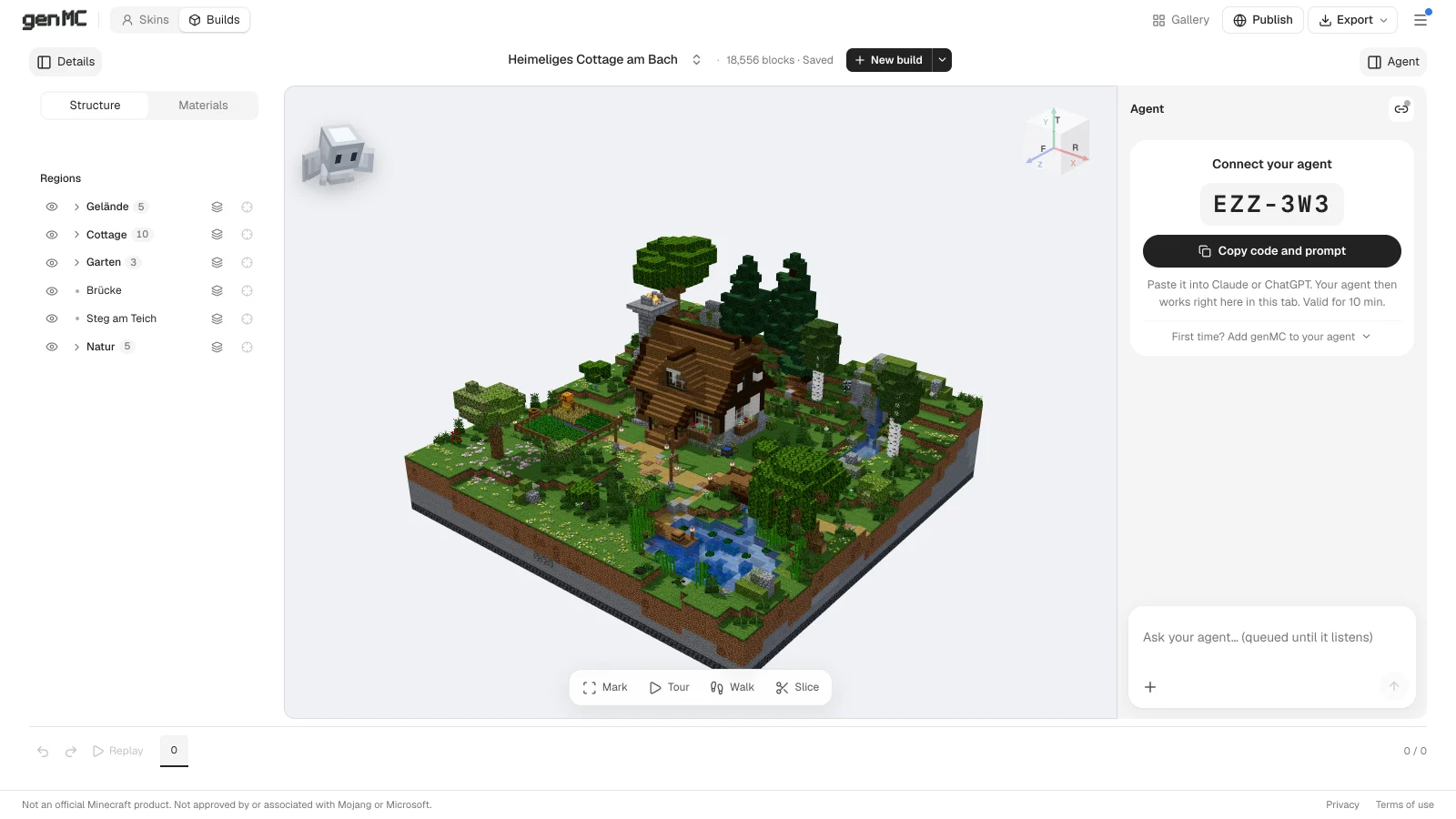
Which browser tab the agent works in is decided by a short pairing code: you open a studio, it shows a code like K7Q-4MX, you paste it into your agent's chat, and from then on the agent works in exactly that tab – while you watch, mark blocks and change things yourself.
What an agent can do with it
- Builds: read the build and what you marked, place blocks with small programs or batches (the full Java block library, up to 10 million blocks per build), sort the build into named parts, pick materials, plan a walk-through tour, render views to check its own work.
- Skins: paint Minecraft Java skins pixel by pixel on the base and outer layer, switch between Classic and Slim, look at the character from every side.
- Help:
genmc_docssearches genMC's knowledge base, so the agent can look up any tool or limit before it guesses.
Every change lands on a timeline with its author. Your own edits always win: if you changed something while the agent was working, its change is rejected and it has to look again.
Add genMC to your agent
You do this once. Menu names in the agent apps change from time to time; look for "connectors", "MCP servers" or "tools".
| Agent | How |
|---|---|
| Claude (web and desktop) | Settings → Connectors → add a custom connector with the URL above. |
| ChatGPT | Add genMC as a connector / MCP server with the same URL in ChatGPT's settings. |
| Claude Code | claude mcp add --scope user --transport http genmc https://genmc.app/api/mcp |
| Codex CLI | codex mcp add genmc --url https://genmc.app/api/mcp |
| Cursor | Add an MCP server of type Streamable HTTP with the URL. |
| Gemini CLI | Add "genmc": { "httpUrl": "https://genmc.app/api/mcp" } under mcpServers in ~/.gemini/settings.json. |
| Other MCP clients | Any client that supports remote servers over Streamable HTTP works with the same URL. |
You can even skip this step: the prompt the studio copies for you asks the agent to install genMC itself. The details are in Connect an agent.
Pair a tab and start
- Open the build studio or the skin studio.
- In the agent column on the right, choose Copy code and prompt.
- Paste it into your agent's chat. It calls
genmc_pair, and the column says your agent is connected. - Describe what you want – or mark blocks first and say what should change there.
The code is valid for ten minutes and works once. After a dropped connection the agent reconnects to the same tab on its own.
How it differs from in-game Minecraft MCP servers
| genMC | Bots in a running game | |
|---|---|---|
| Needs Minecraft running | No – everything runs in the browser | Yes, a client or server |
| How the agent sees the build | Renders, structure and exact coordinates | Mostly text queries around the bot |
| How blocks arrive | Programs and batches, thousands per step | One command or action at a time |
| Working together | You mark, edit and undo while it works | You watch in the world |
| Getting it into your world | .schem for WorldEdit, .litematic for Litematica, .mcfunction | Already there |
Both have their place: a bot is great when the point is an AI playing with you. genMC is for making things – a castle, a city block, a skin – with an agent as your building partner. More on that in What genMC does differently.
Questions people ask
Is it free? Yes. genMC runs no model of its own; your agent does the thinking, so there are no credits and no API key.
Do I need Minecraft? Not for building. To play in your build you need Minecraft Java Edition and WorldEdit or Litematica; the export picks the right format for your version, from Java 26.3 back to 1.13.
Do I need an account? No. Your builds and skins are saved in your browser's private workspace. An account only matters if you want them on several devices or want to publish to the gallery.
Can two agents work at once? One agent per tab. Open a second tab and pair another agent there – each tab has its own build or skin.
Ready? Open the build studio and paste the code into the agent you already use.
Try it with your own agent.
genMC is free and needs no account. Open the studio, connect the agent you already use and build together.