genMC in Claude: build in Minecraft right beside the chat
Since genMC 1.5, Claude opens the build or skin studio right next to the conversation, already connected – no pairing code, no second window. How to set it up, what changes and where Claude Code and Codex differ.
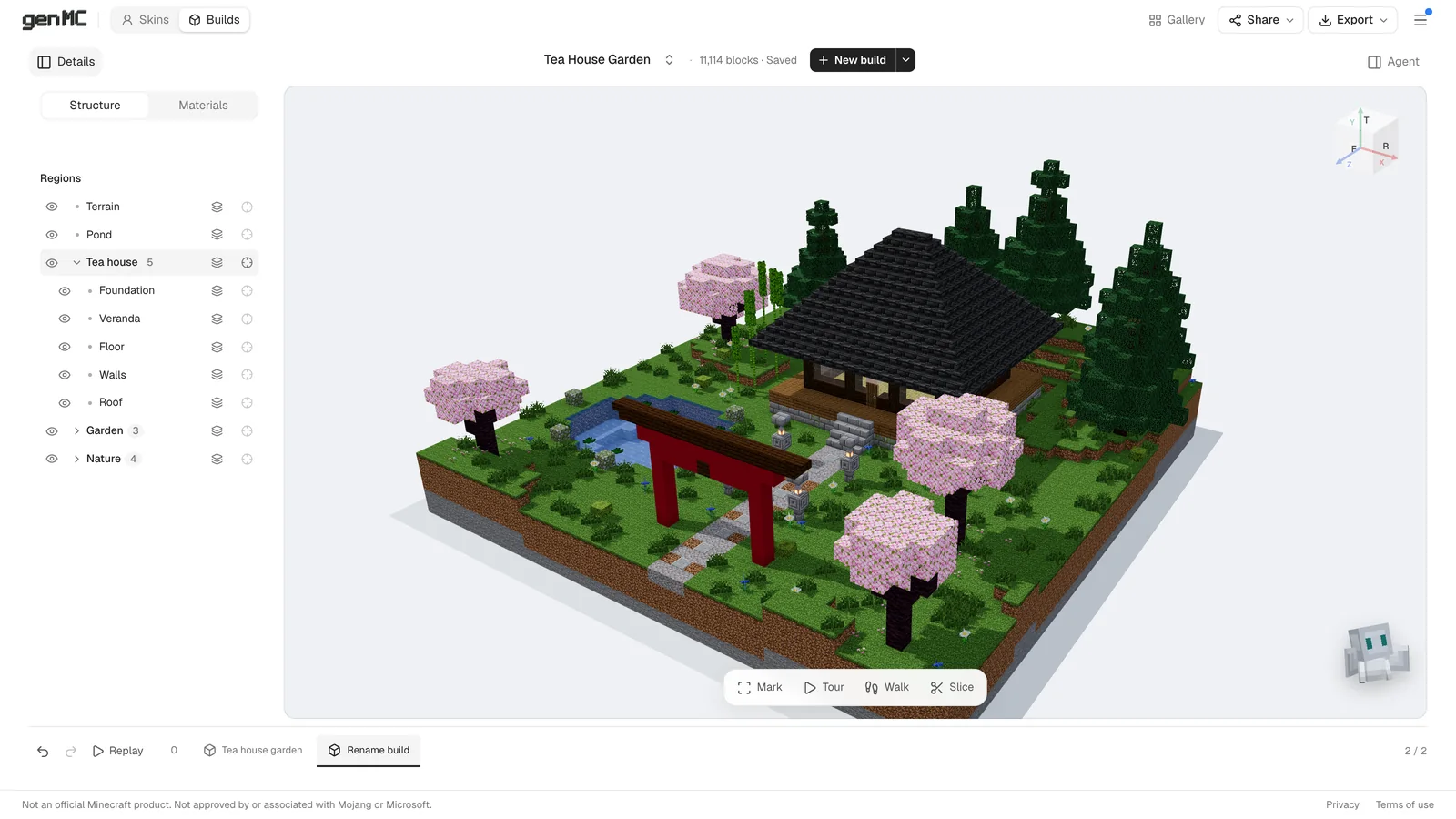
Until now, building with Claude in genMC meant two windows: Claude's chat in one, the studio with its pairing code in the other. With genMC 1.5, released on 11 November 2026, that is over in Claude on the web and in the desktop app. Ask Claude for a build or a skin, and the studio opens right beside the conversation – already connected to that chat.
What changes
genMC is now an interactive connector in Claude. That means:
- The real studio opens inside Claude. Not a picture of it, not a reduced preview: the same build or skin studio as on genmc.app, in a panel next to the chat.
- No code. The studio is connected to the chat that opened it. Nothing to copy, nothing to paste.
- One chat, not two. You keep talking to Claude in Claude. The studio hides its own agent column there, so there is only one place to write.
- You stay in the build. Every block Claude places appears live. Turn the camera, walk through the build, slice it open, hide parts or look back through the timeline while Claude works.
Set it up once
If you have never added genMC to Claude:
- In Claude, open Settings → Connectors and add a custom connector.
- Name it
genMCand use the URLhttps://genmc.app/api/mcp.
If genMC is already in your connectors, there is nothing to do. Start a new chat so Claude loads the new tool. genMC stays free and needs no account; Claude does the thinking within your Claude plan.
Your first build in the chat
Write what you want and mention genMC:
Claude opens the studio beside the chat (the tool is called genmc_open_studio), waits a few seconds for it to load and starts building. The build grows in the 3D view while Claude explains what it is doing. From there you just keep the conversation going:
The same works for skins: "Paint me a Minecraft skin with genMC: a lighthouse keeper in a yellow raincoat" opens the skin studio instead.
Good to know
- Bigger or smaller. Claude's panel has its own buttons for full screen. A studio that sits inside the conversation has Open beside chat.
- The studio doesn't show up? Where Claude does not let genMC appear inside the chat yet, the card offers Open genMC. The studio then opens in a new tab and is still connected to the chat.
- Downloads – a schematic, a skin PNG, an image – go through Claude's download dialog. Links open in a new browser tab.
- Your builds there belong to the studio inside Claude. It starts without your genMC sign-in and keeps its builds in this browser. To continue a build on genmc.app, export it as genMC project · .json and import it there with the arrow next to New build.
- A new studio. Ask Claude for another one and a fresh studio opens; the older card says the studio moved on.
- Another browser. A card connects once. If you open the same chat in another browser, ask Claude to open the studio again.
Claude Code, Codex and other agents
The studio beside the chat needs a chat app that can show it. Claude Code and Codex run in a terminal or editor, so they keep pairing with a code: open the build studio, choose Copy code and prompt and paste it into the agent. You then write your requests into the studio's agent column, as before. The same goes for ChatGPT, Cursor and other MCP clients.
The step-by-step guide for that route is How to build in Minecraft with Claude, and every client is listed in Connect an agent.
Questions
Does this cost extra? No. genMC runs no model of its own. Claude does the work under your Claude plan, genMC itself is free.
Can I still use the old way in Claude? Yes. The pairing code in the studio works with Claude as well – useful if you want to work on genmc.app in your own tab with your account.
Does it work in ChatGPT? For now the studio beside the chat is a Claude feature. ChatGPT connects with a pairing code as before.
Something stuck? See Your agent isn't responding? How to fix it – it covers the chat route too.
Try it: add the connector, start a new chat and ask Claude to build something with genMC.
Try it with your own agent.
genMC is free and needs no account. Open the studio, connect the agent you already use and build together.